Tuesday, 7 May 2013

Trying to figure out how to get the plants working for UDK

I had originally designed the plants to work with a transparent PNG file, and it looked great I think, just how I was expecting it. But when it came to exporting the objects to UDK I found that using PNGs doesn't work as the transparent background shows up as white.

As a fix I decided to try the alpha channel TGA method, I figured it out. The first problem I had was acheiving the varying opacity within the plant texture but I overcame that quite easily by just copying the plant  layer and painting over it in white using 'lock transparent pixels' on photoshop. 


But even after that the texture wasn't looking quite right when I applied it in maya, the transparency wasn't perfect so I was getting almost translucent white where I should be getting a translucent green.


Unfortunately, as the plants haven't turned up to satisfaction in the end, I might just leave them out entirely, I really liked how they looked as PNGs so it will be hard to have to not include them at all but I feel like they will bring down the overall quality I have achieved rather than compliment the environment as they were supposed to. If I can't find some way of fixing them I will get rid of them entirely.


Monday, 6 May 2013

Finished texturing


I have finished the initial stages of texturing my environment, all of the objects are painted but still flat.

I had a look at using some bump maps on some of my objects but I was unhappy with how it looked, I don't have any images to show my experimentation because it was short-lived, but I decided that given the minimalistic nature of my model so far that the bump maps were just jarring to the overall composition.

I decided instead to imply texture by conservatively using specular maps on their own instead.


The most important specular map was for the windows because they needed to be a lot more reflective than anything else in the environment as everything else was mostly dull and matte.


I used a specular map also to show the worn paint on the casket shop, the areas where the paint is left-over is shiny compared the areas of wood that are totally dull.


It was similar with the coffins, the coffins are supposed to look freshly made and varnished, originally rather than a specular map I just changed the specular colour to make it shiny, but I thought that it looks boring and flat so I used a specular map to include the pattern from the wood grain, I used the wood grain pattern with a darker colour so that it would contrast with the body of the coffin and add further detail. 


Thursday, 2 May 2013

Update

Just an update since I've done a lot of work and haven't really written anything, mostly because I have just been painting my textures and trying to get them to look right and for the colours of each asset to work together.


Nothing much as changed since last time, I've decided to go less for the outline approach to the textures and paint them a bit more without having to rely on line drawing, I think it looks nicer, the line drawing textures didn't look as good as I would have liked, I have still used line drawings but more conservatively and only where I think it would really benefit  for example I did a line-art for the wood grain in the coffins and the cracks on the skull, I think that used minimally like that it really works and looks nice, without it being a crutch (before I was using outlined for a lack of confidence in painting my textures so I was kind of relying on it where-as now I'm using it when I think it will actually compliment the texture).

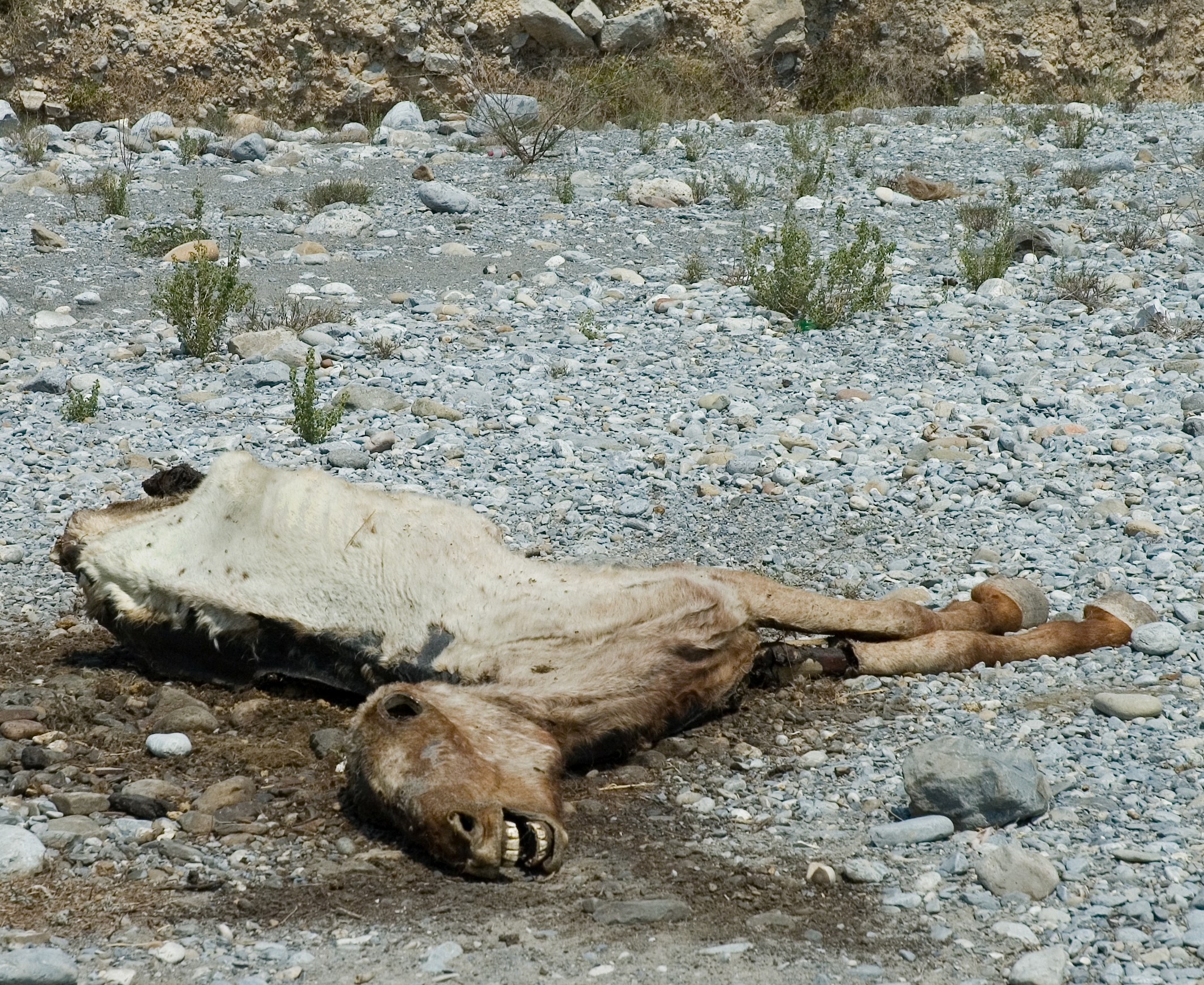
I got rid of the horse because after fully texturing it, it just didn't really blend in the the ground well enough, and the only reason I was going to use it was because I thought it would look cool with the outline drawing style I was using before but scrapping that gave me more reason to get rid of the horse. I think that having gotten rid of the horse the environment actually works better compositionally now, it flows really nicely I think, there is a nice curve around the track, the dust path and the buildings' alignment.

Comparison of the old line drawing texturing (left) to the new painted textures (right)


Dead Horse asset before being removed


Saturday, 27 April 2013

Testing a Method for Creating Plants

I was thinking of how I could get some models for plants without having really complex meshes as I didn't want to spend too much time on them, I though back to seeing how in some old games they would have a flat texture of a plant that would repeat and rotate to give it a sort of 3D effect. I had a think of how I could get a similar effect on maya, straight away I thought of using a flat plane with a transparent .png texture of a plant, I gave it a try by drawing a really quick desert plant texture on photoshop and saving it as .png.


I applied the texture to a flat square plane on maya and it seems to have worked, although the shading looks really bad at the moment so I might need to play with some shaders to find one that looks good, I'm undecided as to whether I will use the version with a repeated rotated texture or just one flat texture.
obviously either way I'll have to draw a better texture first.


Horse Texture Test

 I mentioned that I had created a mesh for a dead horse, I said that I wasn't sure whether I liked it or not.

Today I unwrapped the UV for the main parts of the horse so that I could draw a test texture to just see what it would actually look like, I actually like the result quite a lot so I'm going to keep it I think.


Friday, 26 April 2013

managing UVs

Today while mapping the UVs for the coffin asset I discovered the importance of organising the UVs in the UV Texture Editor.

First thing I did was made the UVs so that the faces on the sides of the coffin were attached to the top of the lid so that the UVs blended down into the sides, but as a result the UVs weren't blending around the sides.


 After finishing the UV unwrapping I decided to try it again using different organisation. I decided that it was probably more important for the faces on the sides of the coffin to blend into each other than into the top of the coffin so I mapped them out flat together instead.


(I didn't bother mapping the cross as I'm just going to use a solid dark colour for it anyway.)


model update

Rather than keeping my draft model as I found it to be really boring and everything was straight so there wasn't really any composition or character I created a new model from scratch using the same basic idea.

Before I started I created a very basic sketch of the composition, and I wanted some kind of implication of a story in there so I included a coffin makers shop and a Lawyer/Doctor office juxtaposed with each other to create some contrast, I didn't put too much thought into a story or anything it's just there to make things a little more interesting, and I may use more rich colours for the lawyer/doctor office and more drab greys and browns for the coffin makers shop again to create some contrast and make the environment a little more interesting.


I'm not sure that the ground is final yet I don't really like the way it looks although the depth of the terrain will be kind of the same either way.

The buildings aren't finished yet, I still need to add doors and windows but I'm waiting to find some good reference for them before I start and I am going to create them as separate assets to make it easier to unwrap the UVs and paint textures.


I mentioned that I was disappointed with how small the cow skull was going to be considering how long it took me to unwrap the UVs and I was always going to use one to have as a decoration on a building so I decided just to make it really big to serve as part of the sign on the coffin shop, as well as that I will paint a sign on there with the textures.


I added this dead and decaying horse to the ground to add some variation and give a bit more life and character to the environment, I may or may not keep it, but I want to know what it looks like when textured before I can make a decision, I don't really like it as it is but I think it could look quite good with textures. 


Some References

 http://iloapp.bytelab.co.uk/blog/outofoffice?ShowFile&image=1279910870.jpg
https://blogger.googleusercontent.com/img/b/R29vZ2xl/AVvXsEhHEAaNWYL8jbX-Mn7hDTHHIsyAT95jJGOqAlqrAwK5UdGyhY9HS_PWF8mTFOdgtHqyIHu2RMKTfoKDVR6SgcrOcm949d8BgmoIb-0KTzVJCc9XfQxzhGk4oh22-G36lO_BWfLVf6xP_sI/s1600/modwest01.jpg
http://www.brickshow.com/wp-content/uploads/2011/12/mdular-western-town2.jpg

I used the last two reference images of lego western towns because I thought that they would be helpful considering my low poly approach and simply textures with saturated colours.

(I haven't added them yet but the mine cart rail will be added to into the top left of the composition (using the birds eye view posted here as reference)